
P/N:GA-Z270X-GAMING 7 | EAN:4719331841393 | CHECKSUM: I
2
Warranty: 1 year
Excl VAT. € 215.29
In stock: 0 ETA: 0000-00-00Weight: -
RGB FUSION
Set the Color that Matches Your Style
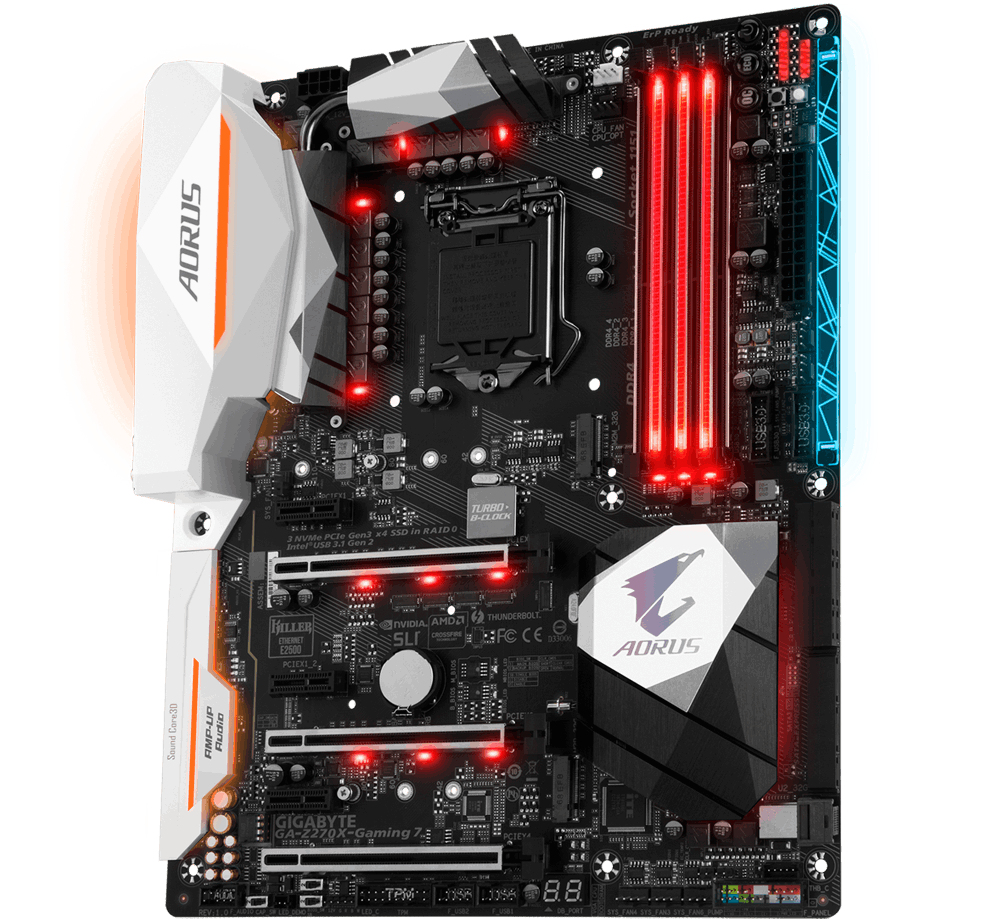
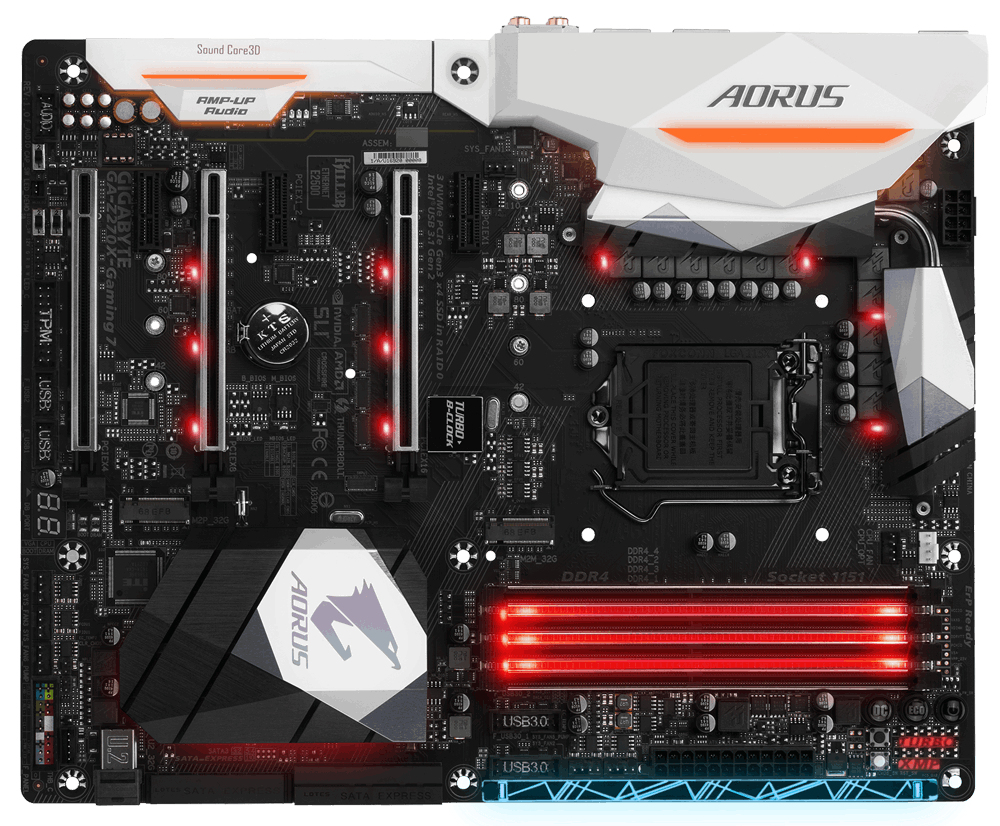
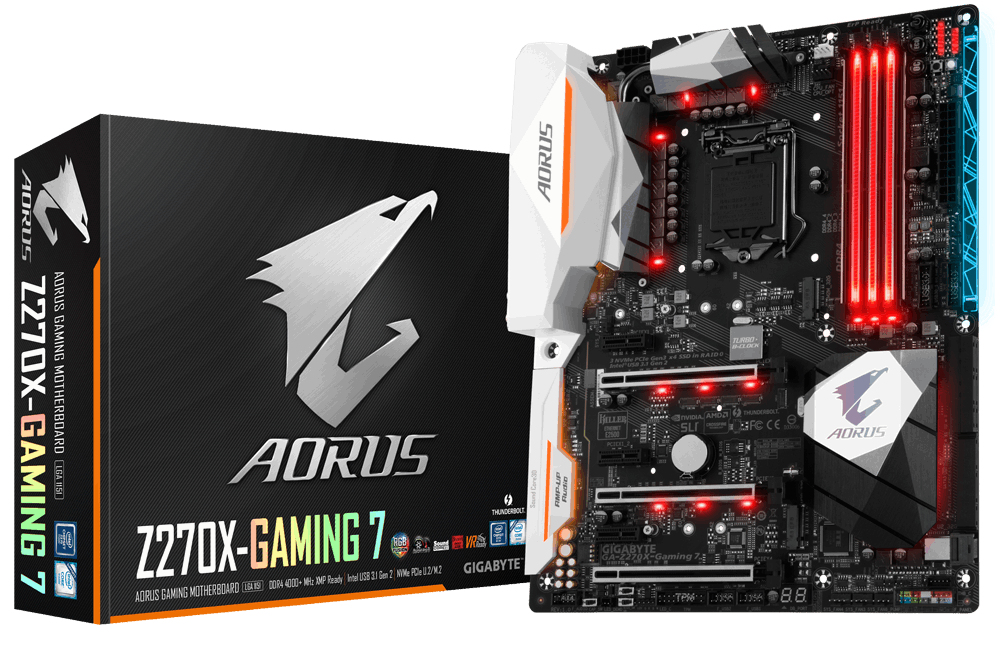
AORUS' 200 series motherboards boast the most advanced LED system in the market today. With more customizability than ever and a convenient and intuitive UI thanks to the RGB Fusion App, you’ll have a blast making your AORUS your own. LED enthusiasts now have even more options with the ability to customize multiple zones independently. For a more functional use, the bright and vibrant LEDs can be configured to display the PC’s temperature or load. For even more LED goodness RGBW strips are now supported for more true and vibrant whites.
Multi-Zone Light Show Design
- 16.8M RGB Colors
- 3 Light Zones
- 4 Programmable Sections
- 7 Different Lighting Effects
- 1 RGBW Light Strip Pin Header
- Accent LED with interchangeable Overlay
- Advanced Mode for Extreme Customizability
Surround Lighting
Three different light zones are equipped with bright RGB LEDs, namely the CPU Zone, Armor & Audio Zone and Accent LED Zones. When it’s all set and done, your system will shine like never before.
Swappable Overlay for Accent LED
AORUS brings even more color and life to your system with an Accent LED Overlay. This overlay complements the RGB Fusion technology in AORUS Motherboards adding more flare and style to your gaming machine. With the swappable overlay users can utilize different patterns and designs to make their system their own.
Supports RGBW Light Strips
Independently Programmable Onboard Pin Header for RGBW LED Strips
Not bright enough? You can install standard 12V external RGB or RGBW light strips on the RGBW pin header and control its color from the RGB Fusion software. With RGBW light strips that have a dedicated white color LED, you can have brighter and more vibrant colors.
No need to worry when choosing light strips as the AORUS motherboards support a wide variety of RGBW light strips on the market thanks to the RGB Fusion software that allows users to redefine the pin location for the R/G/B Signal.
RGB Fusion (Advanced mode)
With the all new RGB Fusion software, users have access to different preset LED lighting configurations with choice of colors. You can even set the LEDs to synchronize with your favorite music or have them change colors to indicate the CPU temperature.
For true lighting experts there is an Advanced Mode, which can be fully customized by individual area with its own effects and color transitions, along with specific duration and transition times.
Once done, it’s simple to save and share your lighting profile with others.
Smart Fan 5
With Smart Fan 5 users can ensure that their gaming PC can maintain its performance while staying cool. Smart Fan 5 allows users to interchange their fan headers to reflect different thermal sensors at different locations on the motherboard. Not only that, with Smart Fan 5 more hybrid fan headers that support both PWM and Voltage mode fans have been introduced to make the motherboard more liquid cooling friendly.
All Hybrid Fan Pin Headers
- All Hybrid Fan Headers can automatically detect the type of cooling device whether it be fan or pump with different PWM or Voltage mode.
- Supports up to 2 amps with built-in overcurrent protection—a must for high-end high current fans.
New Smart Fan 5 Software
Choose from different modes, Quiet to Full Speed, to match your system usage scenario. For each fan or pump, you can use the intuitive fan curve to define trigger thresholds and corresponding fan speeds.
Interoperable Sensors and Fans
Each fan can be customized to operate at different speeds according to any defined temperature source input (except the CPU fan).
Fan Curve
Customize fan curves based on specific temperatures with the intuitive graphical UI.
Enhanced BIOS Interface
The enhanced BIOS interface also has the ad
| BIOS |
| ACPI version: 5.0 |
| BIOS type: EFI AMI |
| Clear CMOS button: |
| Clear CMOS jumper: |
| Expansion slots |
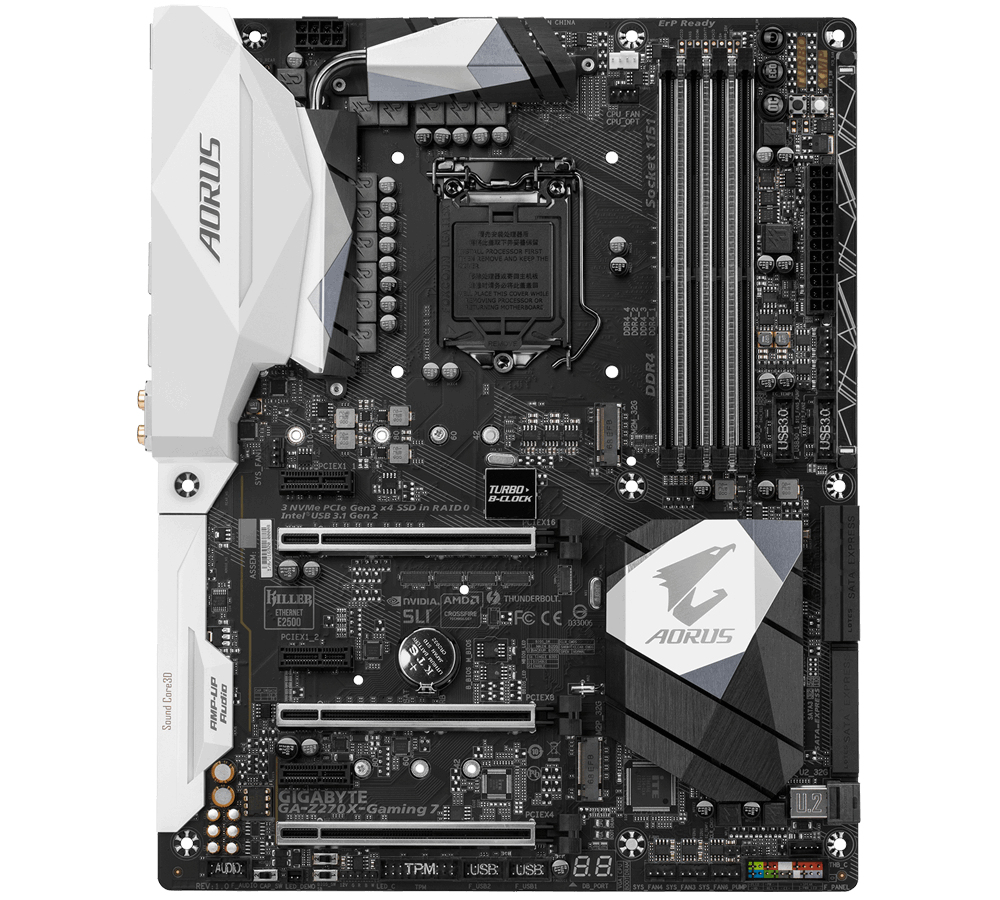
| Number of M.2 (M) slots: 2 |
| PCI Express x1 slots: 3 |
| PCI Express x16 slots: 3 |
| Features |
| Audio output channels: 5.1 channels |
| Component for: PC |
| Linux operating systems supported: |
| Motherboard chipset: Intel® Z270 |
| Motherboard chipset family: Intel |
| Motherboard form factor: ATX |
| Power source type: ATX |
| Windows operating systems supported: Windows 10 Education, Windows 10 Education x64, Windows 10 Enterprise, Windows 10 Enterprise x64, Windows 10 Home, Windows 10 Home x64, Windows 10 Pro, Windows 10 Pro x64, Windows 7 Enterprise, Windows 7 Enterprise x64, Windows 7 Home Basic, Windows 7 Home Basic x64, Windows 7 Home Premium, Windows 7 Home Premium x64, Windows 7 Professional, Windows 7 Professional x64, Windows 7 Starter, Windows 7 Starter x64, Windows 7 Ultimate, Windows 7 Ultimate x64, Windows 8, Windows 8 Enterprise, Windows 8 Enterprise x64, Windows 8 Pro, Windows 8 Pro x64, Windows 8 x64, Windows 8.1, Windows 8.1 Enterprise, Windows 8.1 Enterprise x64, Windows 8.1 Pro, Windows 8.1 Pro x64, Windows 8.1 x64 |
| Internal I/O |
| ATX Power connector (24-pin): |
| CPU fan connector: |
| EPS power connector (8-pin): |
| Front panel audio connector: |
| Front panel connector: |
| Number of chassis fan connectors: 4 |
| Number of Parallel ATA connectors: 0 |
| Number of SATA Express connectors: 3 |
| Number of SATA II connectors: 0 |
| Number of SATA III connectors: 6 |
| Thunderbolt headers: 1 |
| TPM connector: |
| USB 2.0 connectors: 2 |
| USB 3.2 Gen 1 (3.1 Gen 1) connectors: 2 |
| USB 3.2 Gen 2 (3.1 Gen 2) connectors: 0 |
| Memory |
| ECC сompatibility: Non-ECC |
| Maximum internal memory: 64 GB |
| Memory slots type: DIMM |
| Number of memory slots: 4 |
| Supported memory clock speeds: 2133,2400,2666,2800,3000,3200,3300,3333,3400,3466,3600,3666,3733,3800,3866,4000 MHz |
| Supported memory module capacities: 16GB |
| Supported memory types: DDR4-SDRAM |
| Unbuffered memory: |
| Network |
| Ethernet LAN: |
| Other features |
| BIOS switch button: |
| Processor |
| Compatible processor series: Intel® Celeron®, Intel® Pentium® |
| Processor manufacturer: Intel |
| Processor socket: LGA 1151 (Socket H4) |
| Processor special features |
| Intel® Optane™ Memory Ready: |
| Rear panel I/O ports |
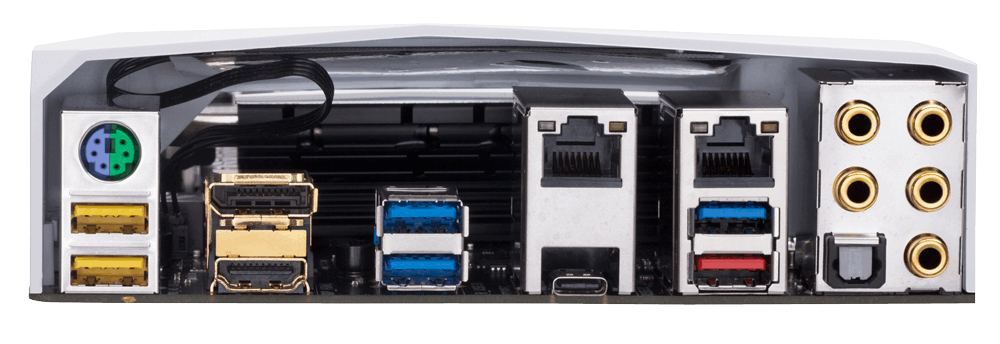
| DisplayPorts quantity: 1 |
| DVI-D ports quantity: 0 |
| eSATA ports quantity: 0 |
| Ethernet LAN (RJ-45) ports: 2 |
| Firewire (IEEE 1394) ports: 0 |
| HDMI ports quantity: 1 |
| Headphone outputs: 1 |
| Microphone in: |
| PS/2 ports quantity: 1 |
| S/PDIF out port: |
| USB 2.0 ports quantity: 0 |
| USB 3.2 Gen 1 (3.1 Gen 1) Type-A ports quantity: 5 |
| USB 3.2 Gen 1 (3.1 Gen 1) Type-C ports quantity: 0 |
| USB 3.2 Gen 2 (3.1 Gen 2) Type-A ports quantity: 1 |
| USB 3.2 Gen 2 (3.1 Gen 2) Type-C ports quantity: 1 |
| VGA (D-Sub) ports quantity: 0 |
| Storage controllers |
| RAID levels: 0, 1, 5, 10 |
| Supported storage drive types: HDD & SSD |
| Weight & dimensions |
| DepthThe distance from the front to the back of something.: 305 mm |
| WidthThe measurement or extent of something from side to side.: 244 mm |
 Belgium